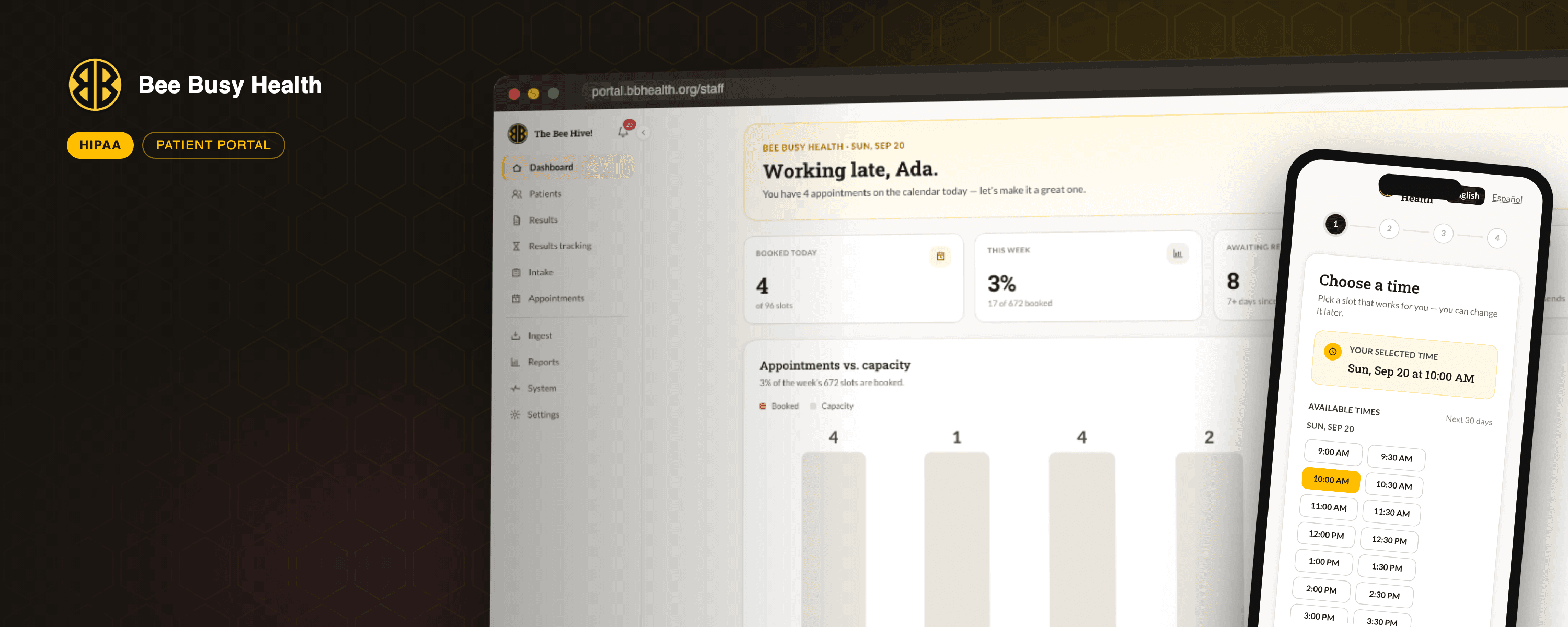
Bee Busy Health patient portal on desktop and phone

A HIPAA-Compliant Patient Portal for Bee Busy Health

Patient Results Portal

Visit Site
  • Healthcare Software
  • HIPAA Compliance
  • Next.js
  • Microsoft Azure
  • Scheduling
  • Lab Result Ingestion
  • Bilingual UX
  • Automated Testing

Bee Busy Inc. is a Houston non-profit that provides free HIV and STI testing, education and support to the communities that need it most. We first worked with them in 2024 on their public website, which gave the clinic online scheduling, digital intake forms and an appointment manager. That project did its job, and it also exposed the next problem: once someone had been tested, there was still no secure, private way to get their results back to them.

Lab reports arrived as PDFs. Staff tracked who was still waiting on a spreadsheet, called each person by hand, and fielded the same "are my results in yet?" phone calls all day. The intake form on the website collected sensitive information on a platform that was never designed for protected health information. Bee Busy asked us for a fix, and the answer was a purpose-built, HIPAA-compliant patient portal.

What we set out to build. The original statement of work was focused: a portal where clients sign in and see their results, a staff dashboard, a pipeline that reads incoming lab PDFs and files each result against the right client, a notification engine, audit logging, and the monthly and quarterly compliance reports the clinic owes the City of Houston. Six weeks, four phases.

What we actually delivered. As the clinic's team started using early builds, it became clear the portal could replace far more than a spreadsheet. Working directly with staff over a series of review sessions, we kept extending the scope until the portal ran the whole client journey:

  • Public booking and intake in English and Spanish. Clients pick a time, answer a few questions, give consent, and receive a confirmation with a calendar invite and a private link to reschedule. A 52-question health questionnaire can be finished on the spot or later through a secure emailed link, and it ends with an e-signature.

  • A clinical console for staff. Every client has one record: contact details, demographics, appointments, results, documents and correspondence. Counselors document a visit through a nine-step form that mirrors the Texas DSHS testing form, sign it on a tablet, and the portal renders the state's exact PDF. Treatment and follow-up visits got the same care, medication logs and dual signatures included.

  • Lab results that file themselves. Reports dropped into the clinic's shared folder are read, matched to the right client and added to their panel. Negative panels are released and the client is notified automatically. Anything positive or uncertain is held until a clinician has spoken to the client and attested to it in the portal.

  • A scheduling engine of its own. Working hours, closures, services and slot capacity are managed in the console. Reminders, no-show follow-ups and re-test notices send themselves.

  • Reports on demand. The monthly internal report and the quarterly City of Houston report export to Excel and PDF from a date range.

Compliance is built in, not bolted on. Every page that shows protected health information is rendered on the server, so nothing sensitive ever ships in a browser bundle. Documents live in private storage and open only through short-lived signed links. Staff sign in with the clinic's own Microsoft accounts, so the portal issues no passwords of its own. Every action is written to an append-only audit log that can be searched by person, session or date. Notifications never mention a test, a result or a clinic name. The whole system runs on Microsoft Azure under a Business Associate Agreement, with encryption at rest and in transit and keys held in Key Vault.

Tested like it matters. Behind the portal sit more than 1,000 unit tests and an automated browser suite of nearly 200 end-to-end scenarios that book appointments, ingest real-format lab PDFs, walk the visit form, sign documents and actively try to break the access rules. The screenshots on this page were captured by that suite against synthetic data. No real client information appears anywhere.

The result is a portal built to run the clinic's entire client journey in one covered system, and to retire the website forms that were never meant to hold health data. If your organisation handles sensitive information and needs software built to a standard, talk to us.
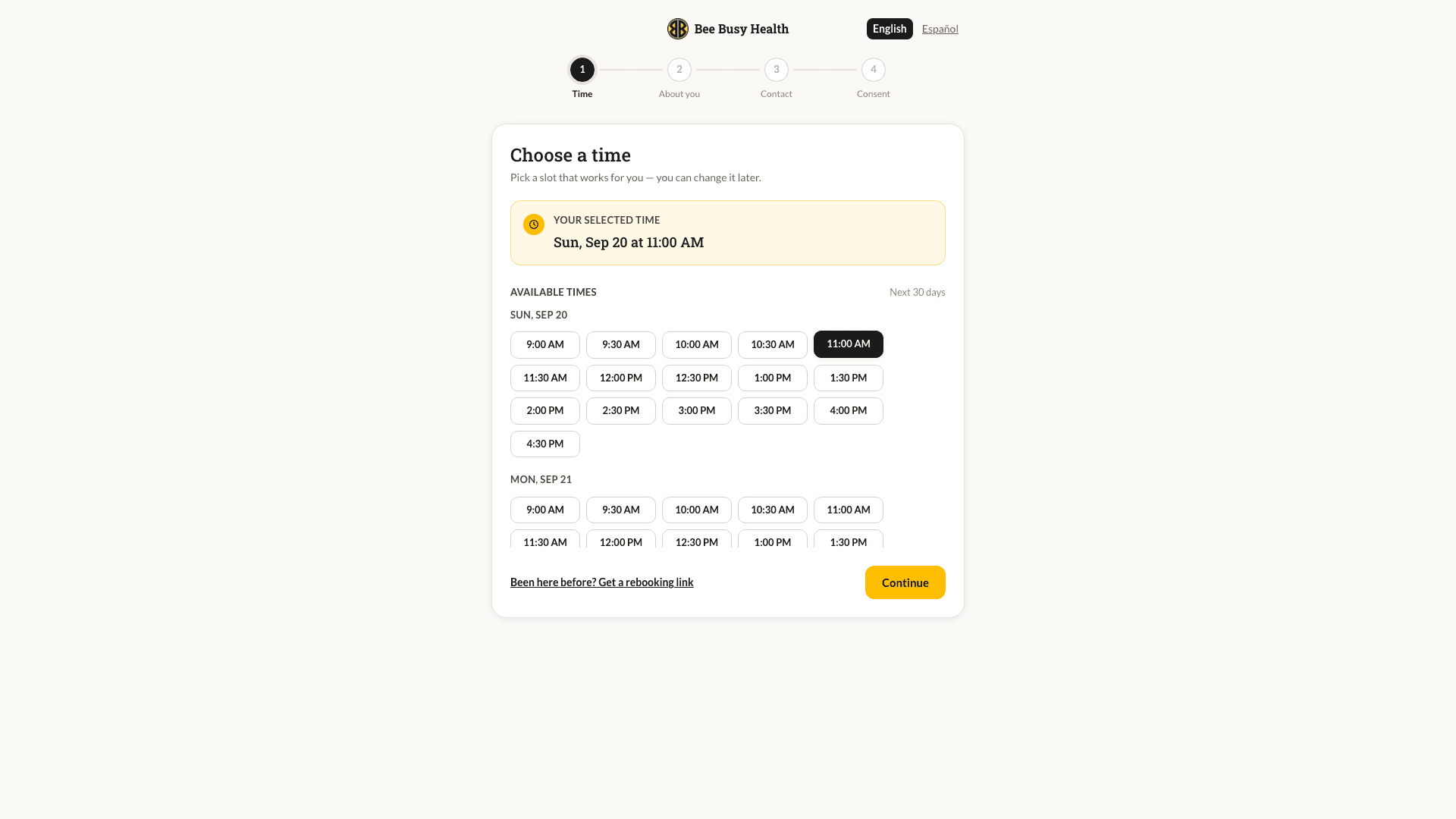
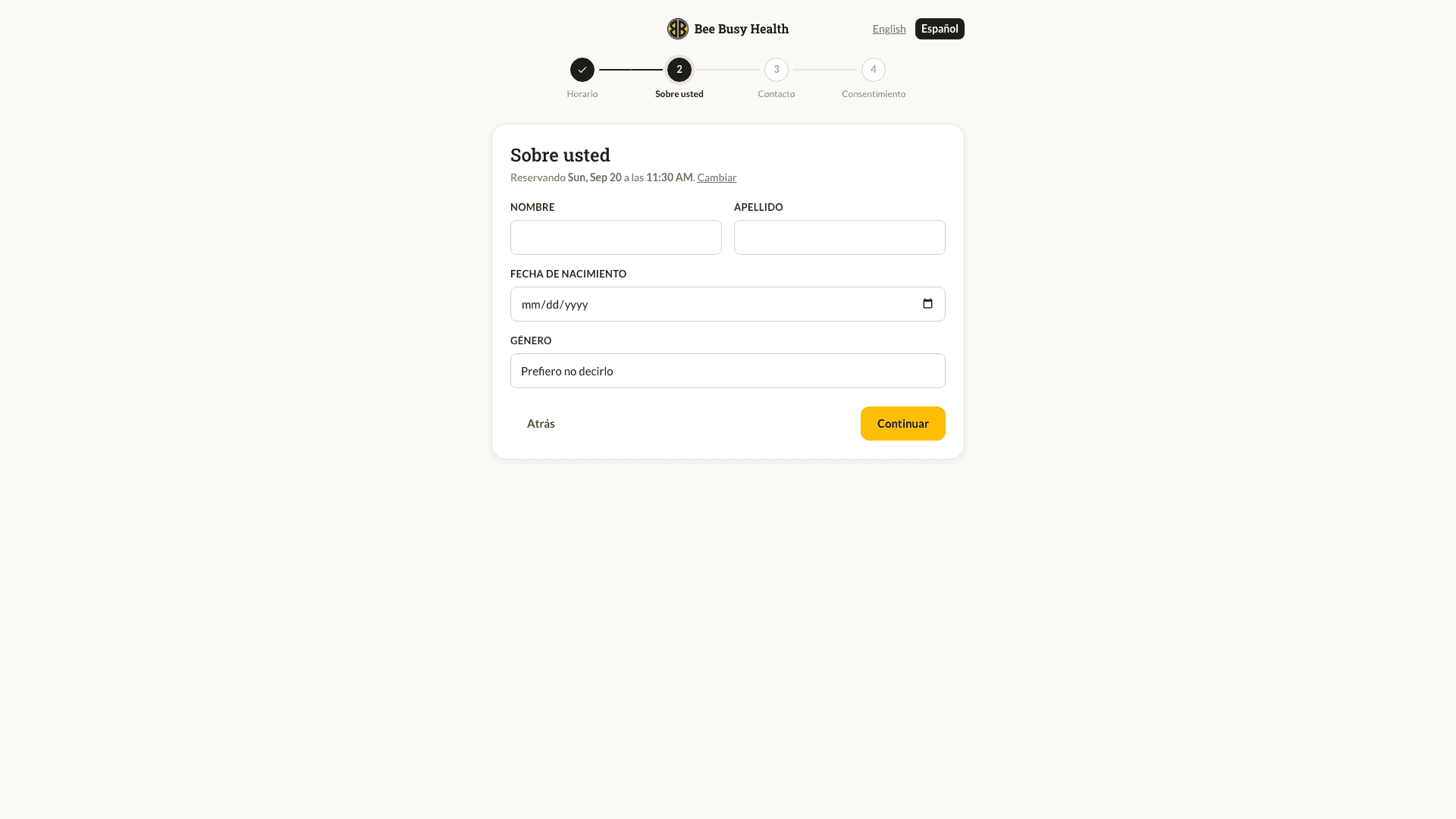
Book in Four Steps

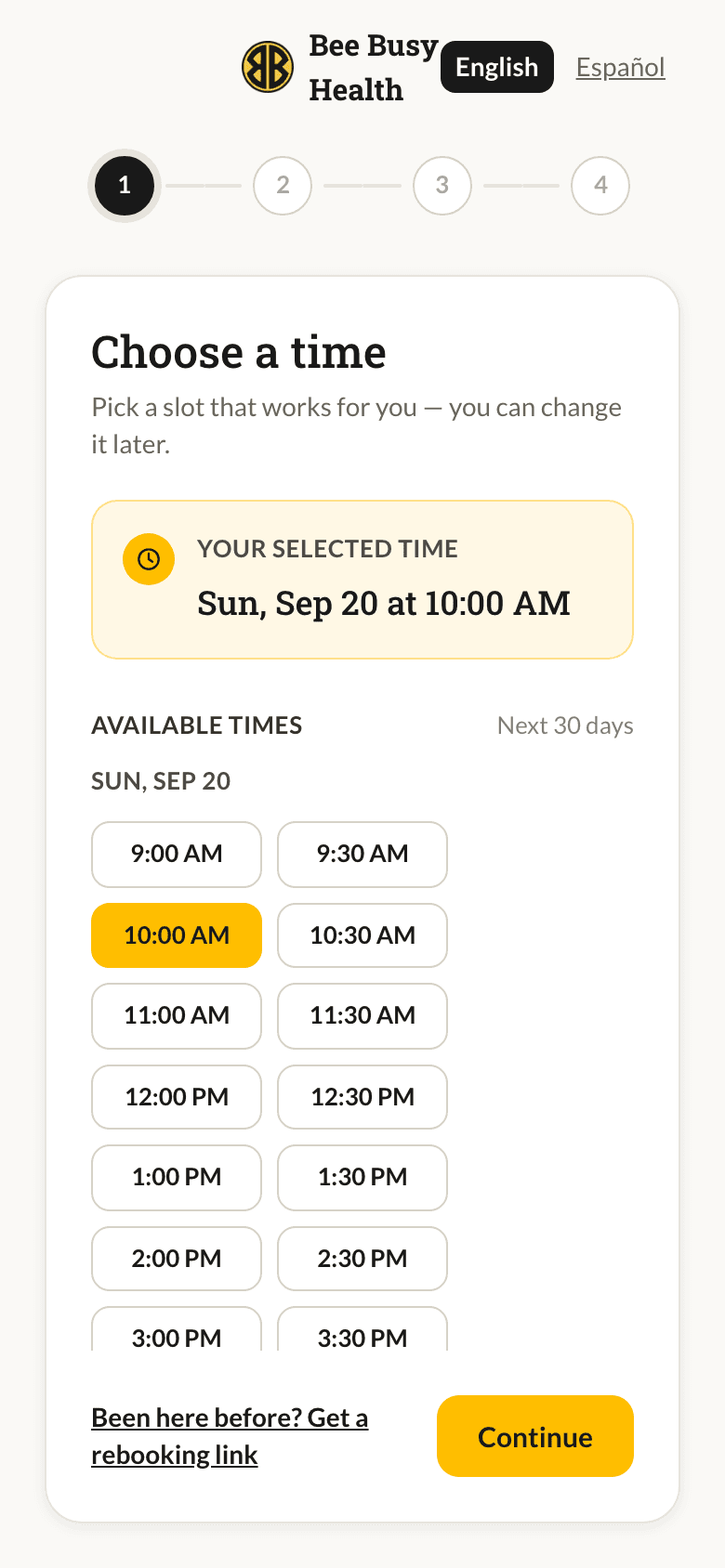
Clients choose a time, say who they are, share contact details and give consent. The step bar shows exactly where they are, the chosen slot is confirmed in plain language, and Continue stays out of the way until it is needed. Returning clients can request a rebooking link instead of typing everything again.

Capacity Handled Quietly

Slots come from the clinic's own working hours, closures and per-service capacity. If two people race for the last seat, the database settles it, not the browser. Confirmation emails carry a calendar invite and a private link to reschedule or cancel.

Public booking wizard, choose a time

Every Public Page in Spanish

Booking, intake, the health questionnaire, walk-in forms and the patient portal itself switch to Spanish with one tap. The choice follows the client through their visit and is stamped on their record, so staff know how to reach them. Validation messages are translated too, not just the labels.

Booking wizard in Spanish

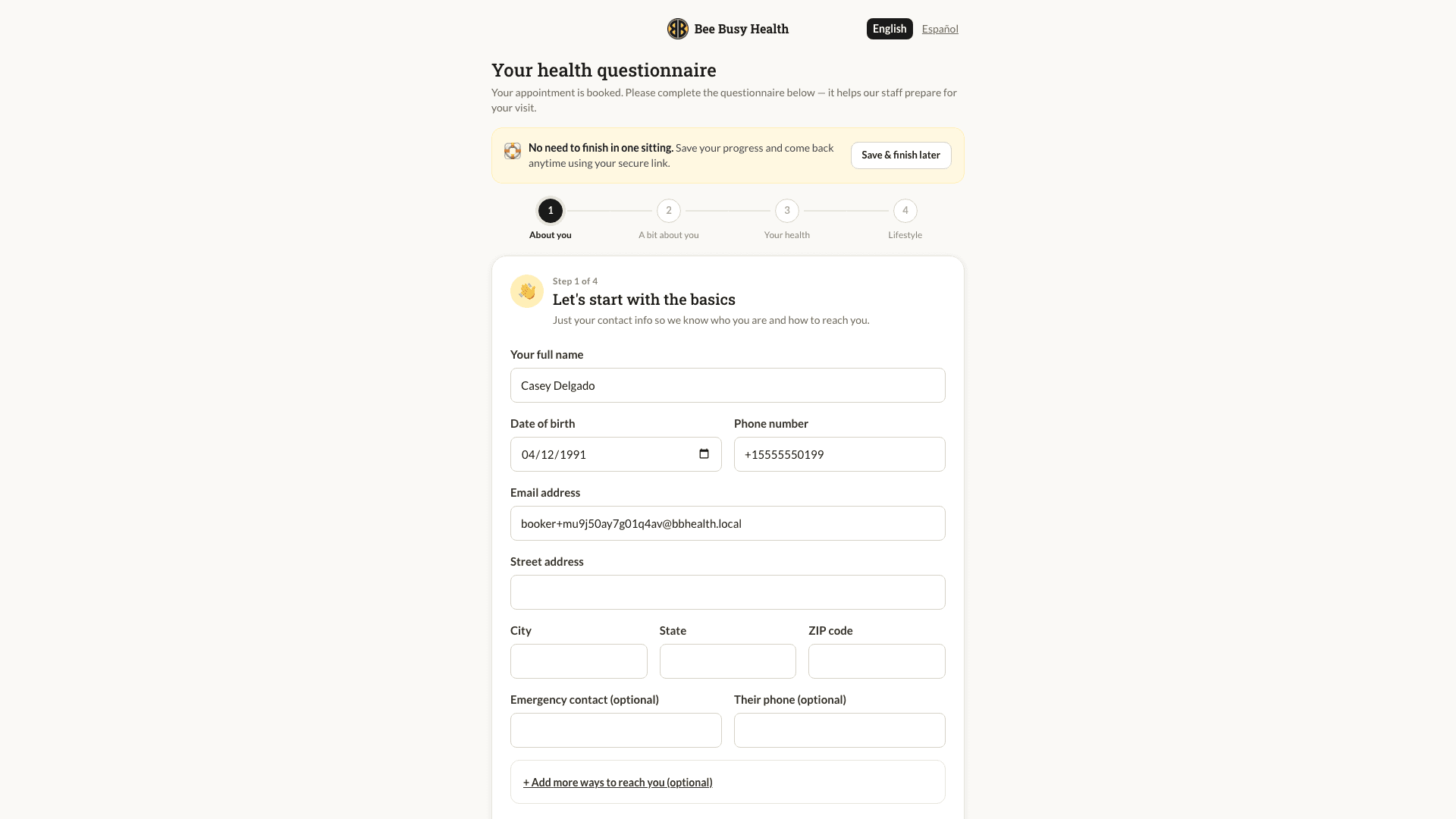
52 Questions, No Pressure

The clinical questionnaire is split into four short steps and can be finished on the spot or later through a secure link sent by email. It ends with a grievance acknowledgement and an e-signature, and the answers are stamped into a signed PDF that lands on the client's record before they arrive.

Health questionnaire, step one of four

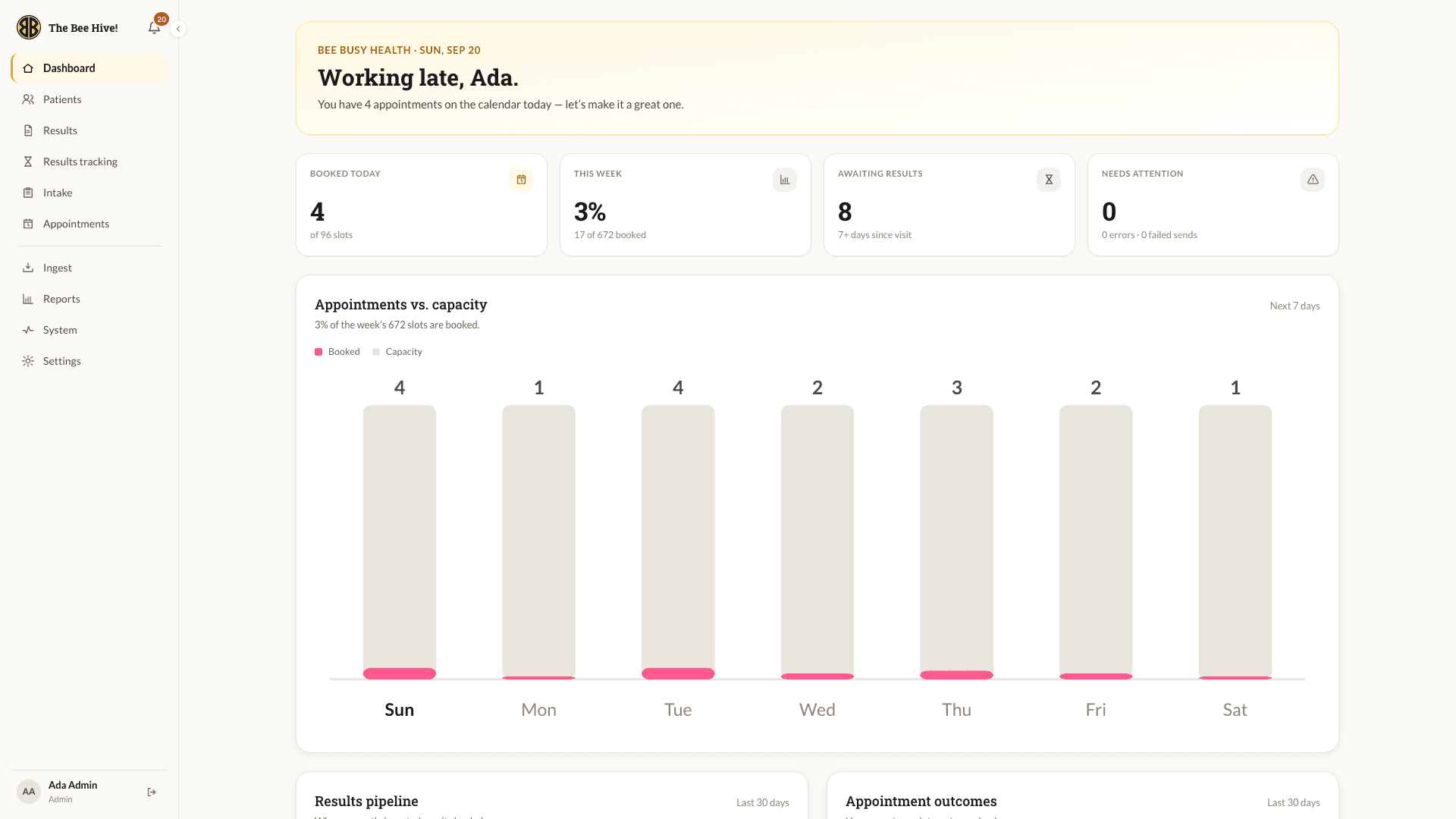
A Morning Briefing for Staff

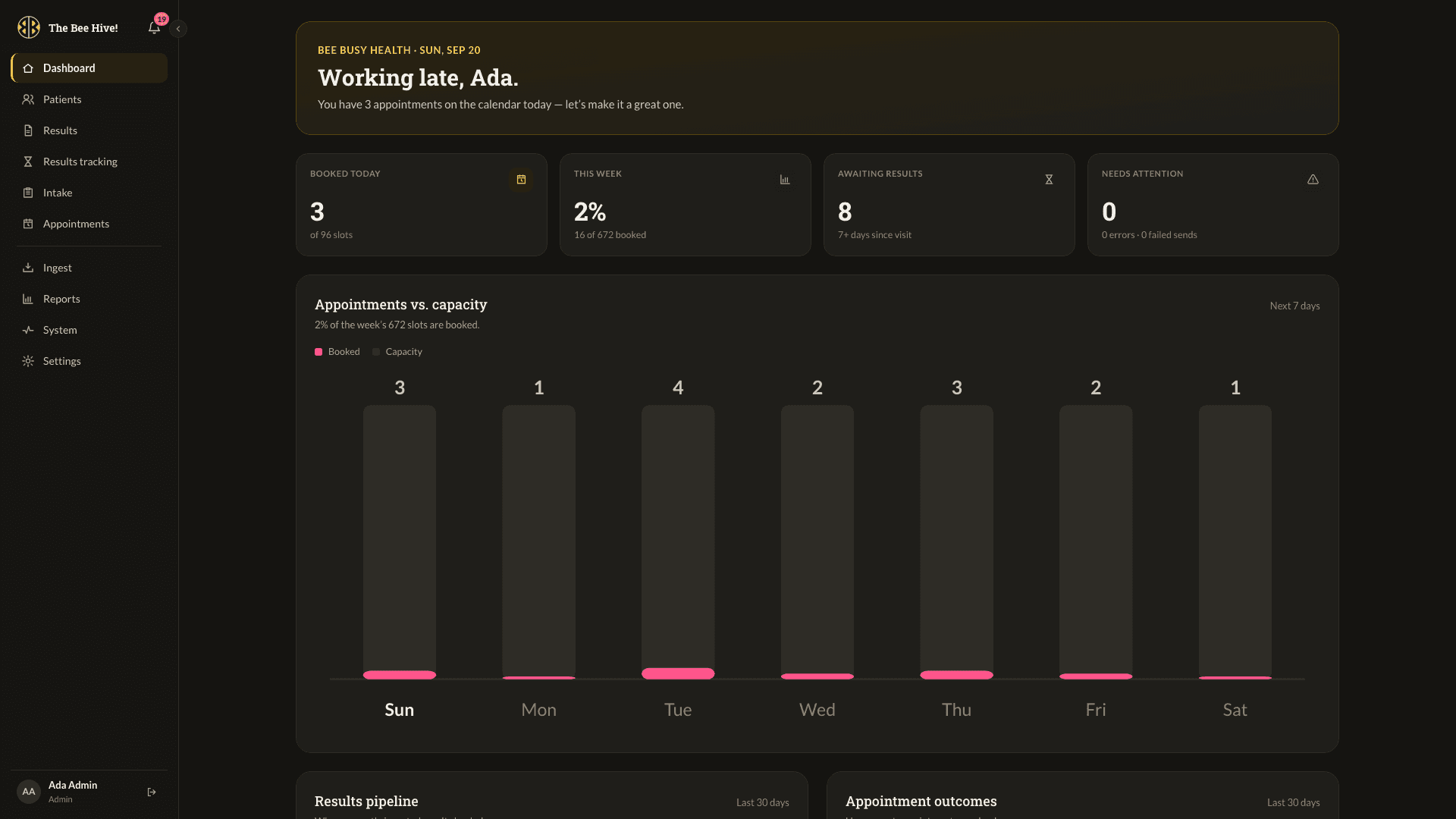
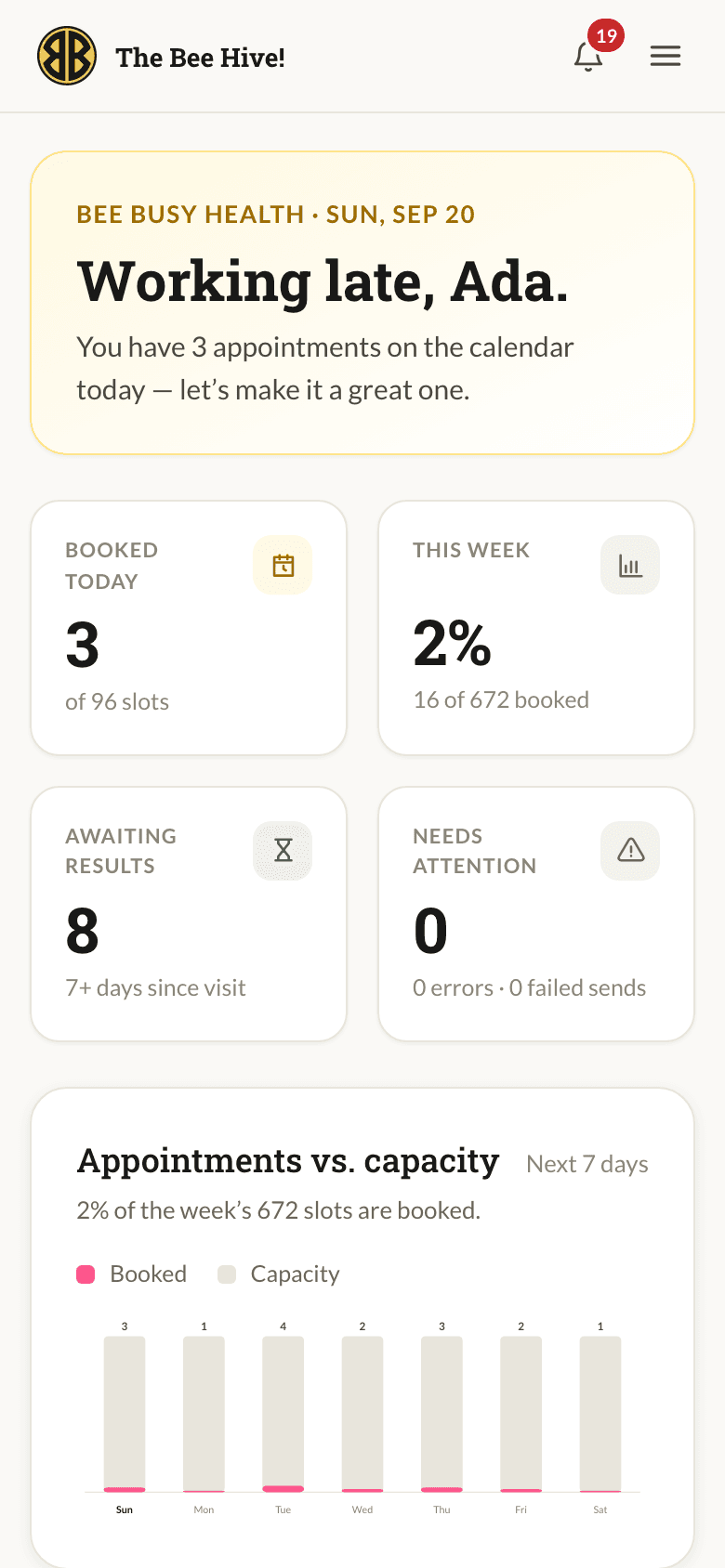
The console opens on the day: appointments booked against capacity, who is still waiting on results, and anything that needs attention. Below the fold sit a results pipeline and appointment outcomes for the last thirty days.

Role-Aware by Design

Admins, office admins and counselors see different navigation because they have different jobs. Links a role cannot use are hidden rather than greyed out, and every request is checked again on the server, so the menu is a convenience, never the security.

Staff dashboard with the week's bookings

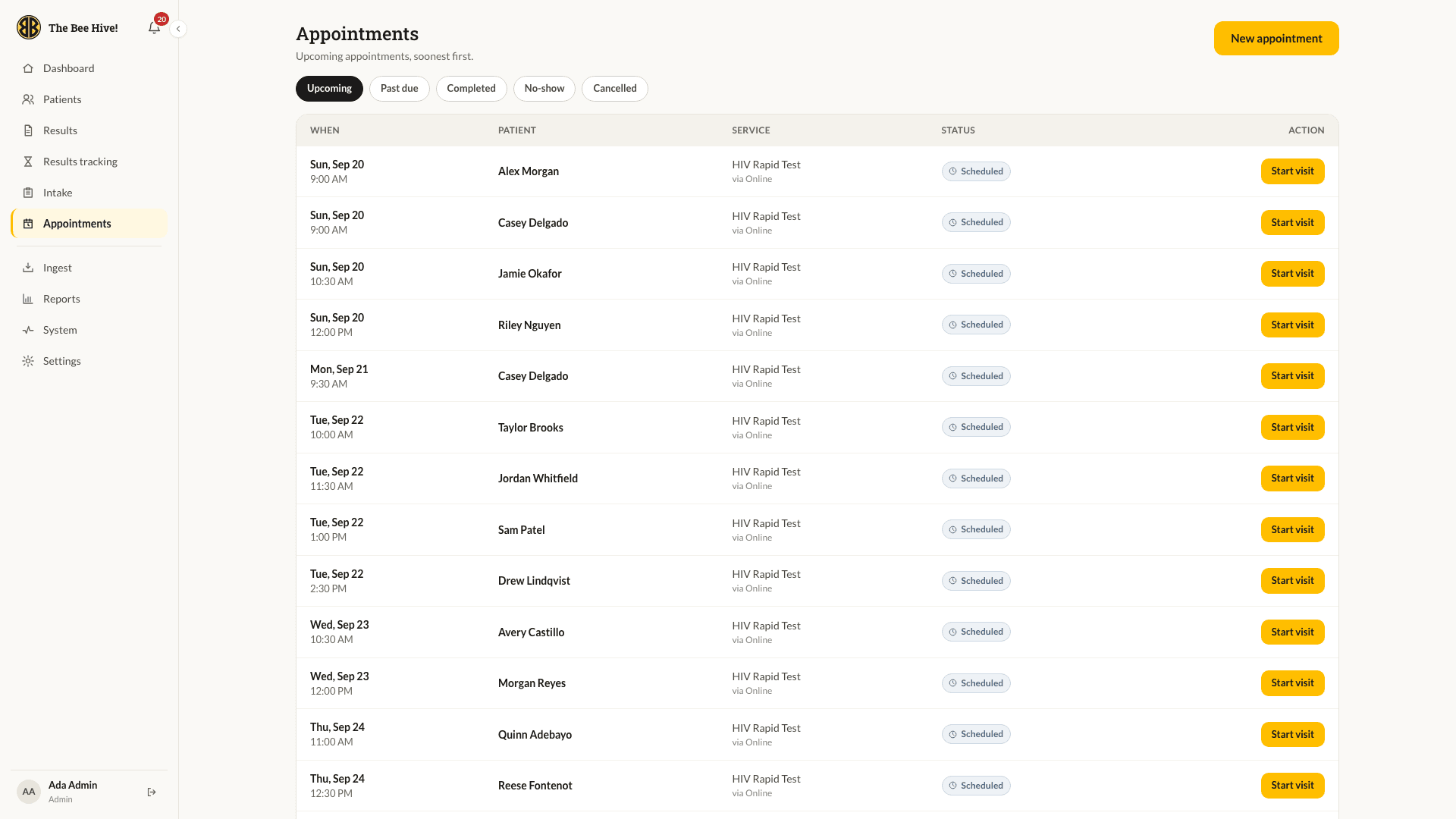
One Board for the Day

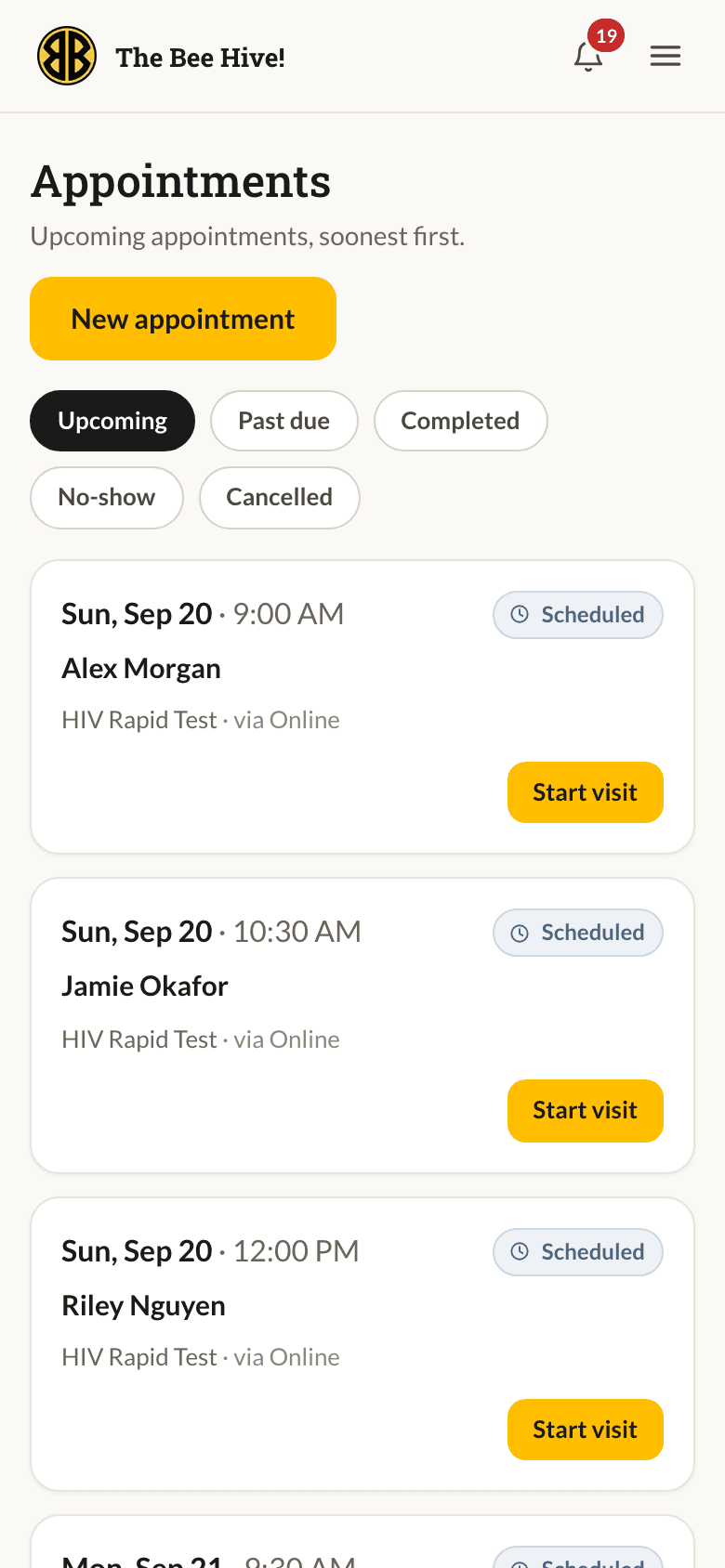
Upcoming, past due, completed, no-show and cancelled bookings sit under one set of tabs. Staff can start a visit straight from the row, book on a client's behalf, or send a booking link by text or email. A missed appointment triggers a friendly follow-up with a link to rebook.

Appointment board with upcoming visits

The Whole Client on One Screen

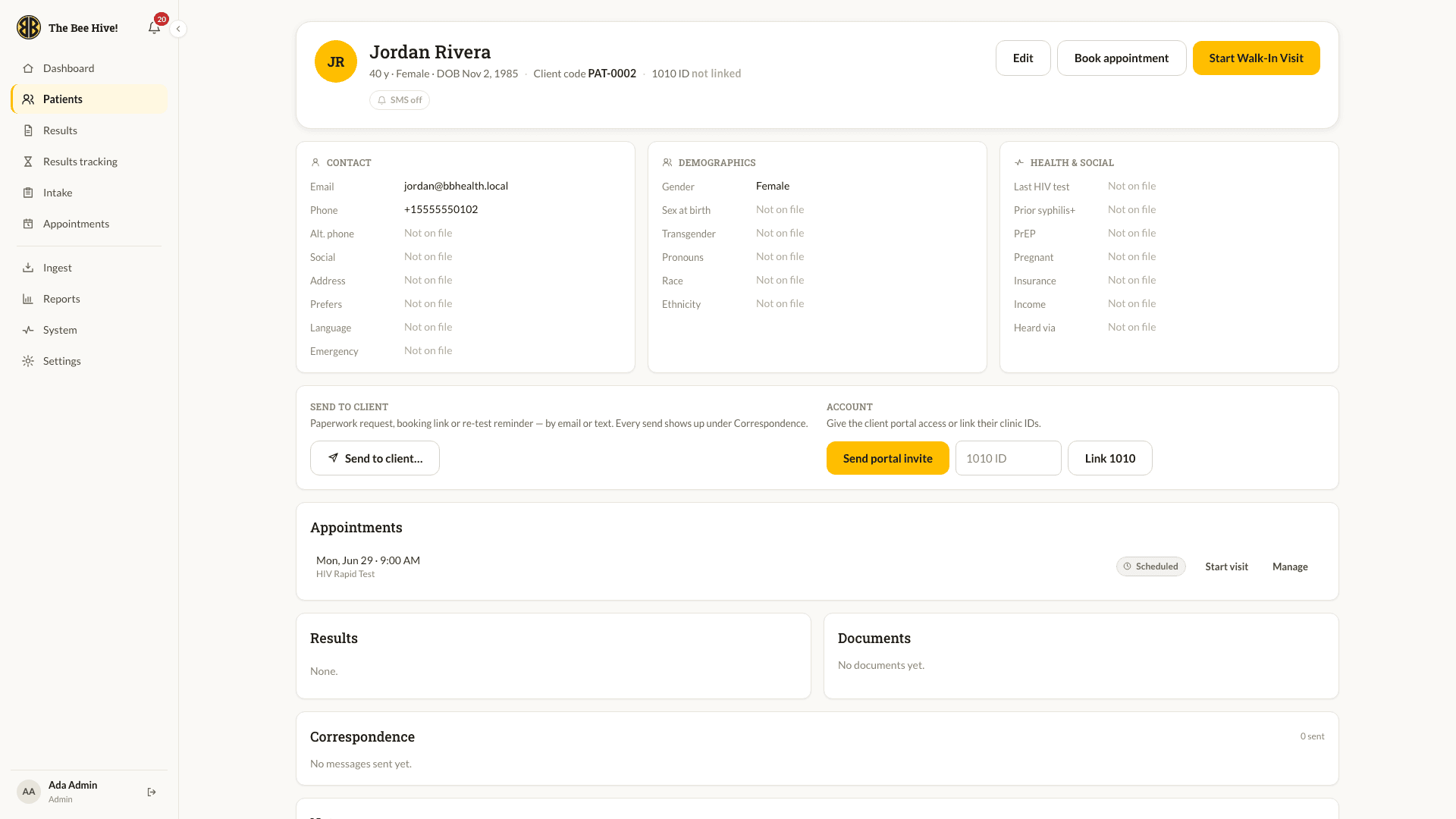
Contact, demographics, health and social history, appointments, results, documents, correspondence and notes, each pulled from the best source the portal has. From here staff can invite a client to the portal, link their clinic ID, request paperwork or start a walk-in visit.

Search That Knows Your Day

The patients list opens on the people a staff member has actually worked with recently, drawn from their own audit trail, and narrows as they type. No scrolling through the whole roster to find the person in the waiting room.

Patient record in the staff console

The State Form, Digitised

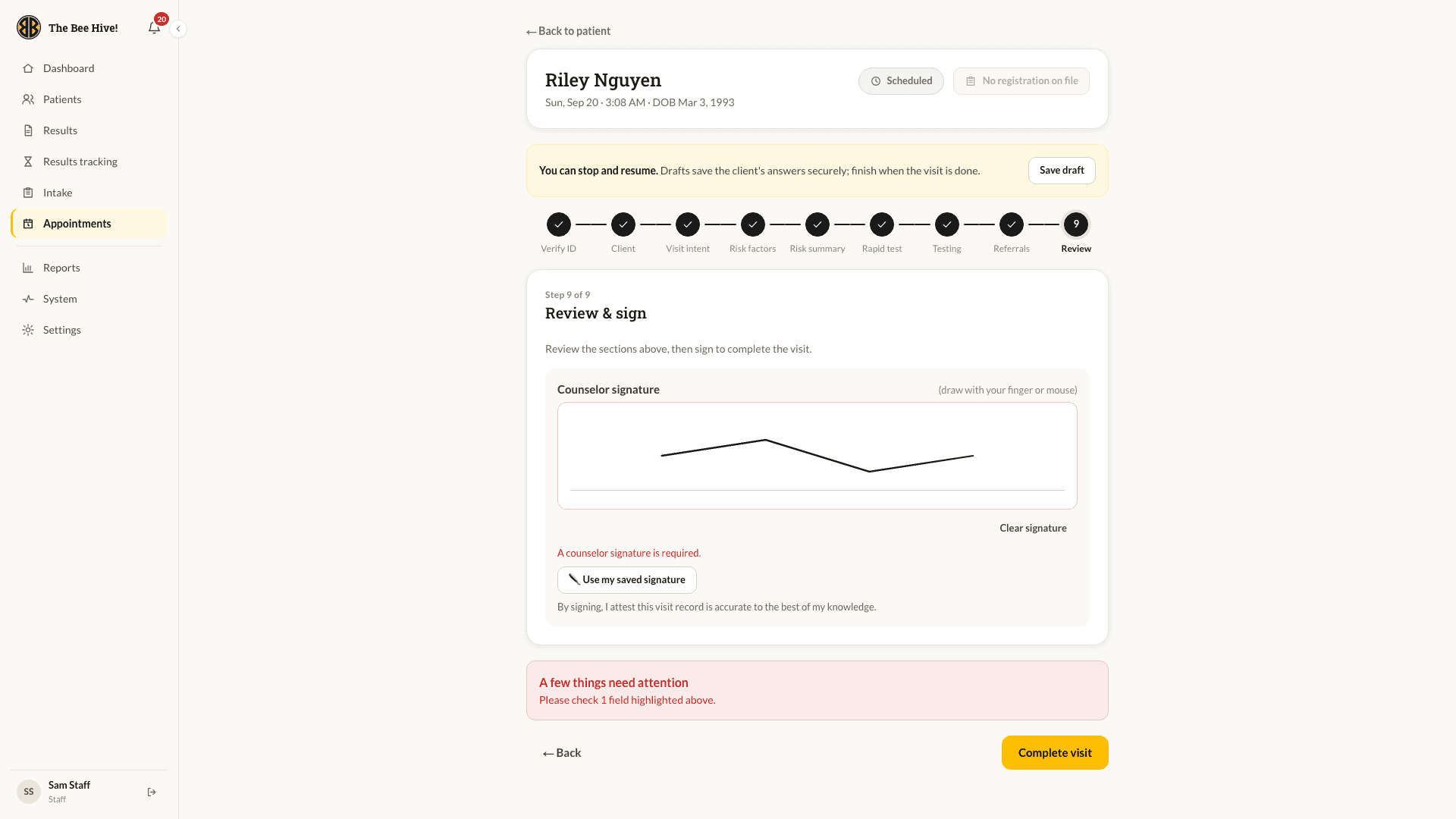
Counselors document a testing visit in nine steps that mirror the Texas DSHS form, with answers prefilled from the client's questionnaire. Drafts save as they go, so a visit can pause and resume without losing anything.

Signed on a Tablet

The visit ends with a counselor signature drawn on screen or pulled from a saved one. The portal then renders the state's exact PDF layout and files it against the client. Treatment and follow-up visits follow the same pattern, medication logs and dual signatures included.

Visit form, review and sign step

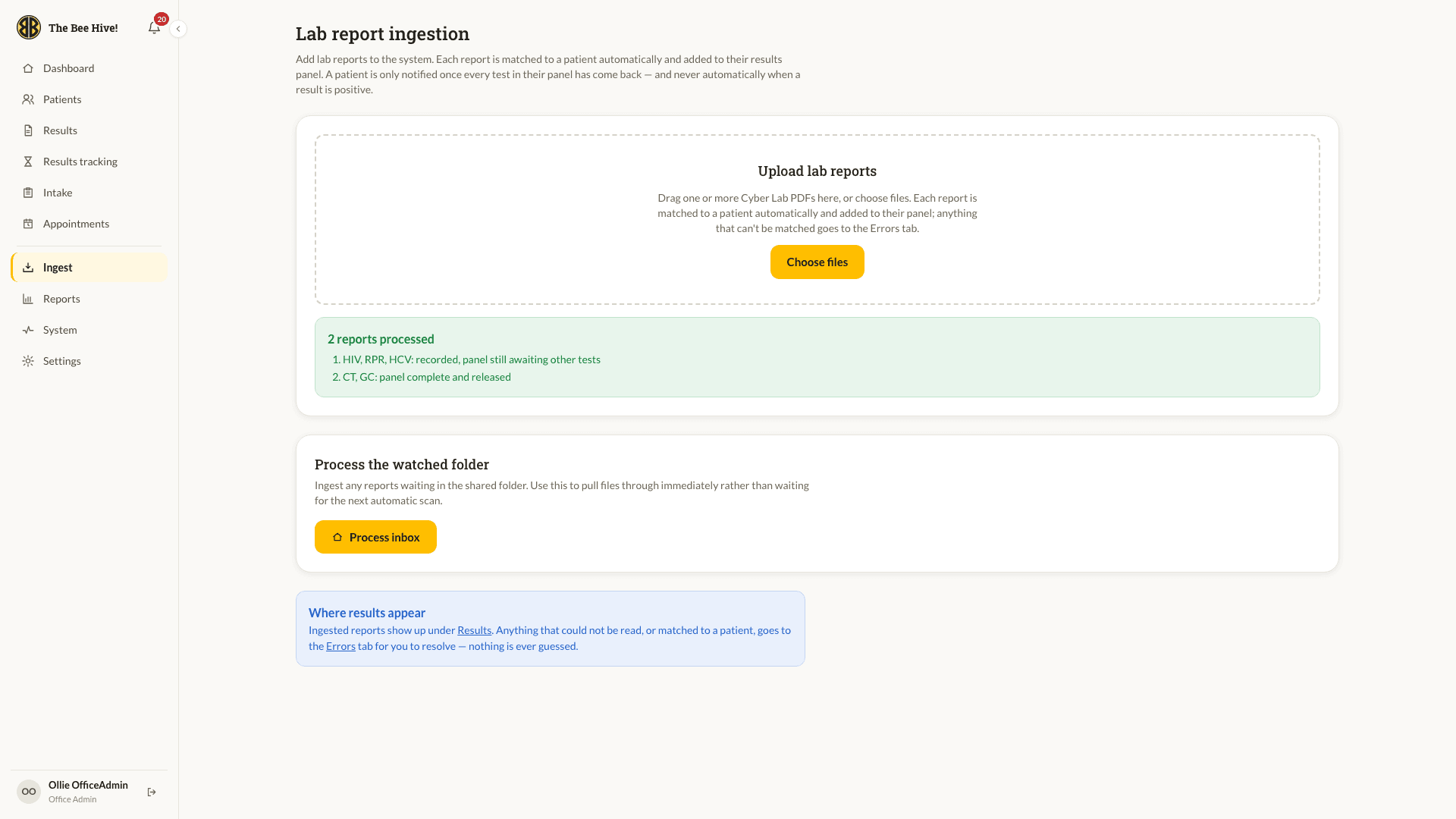
Results That File Themselves

Lab reports arrive as PDFs in the clinic's shared folder. The portal reads each one, matches it to the right client and adds the tests to their panel. When every test in a panel is back and negative, it is released and the client is notified without anyone lifting a finger.

Nothing Is Ever Guessed

A report that cannot be matched with confidence goes to an errors queue for a person to resolve. A positive or indeterminate result is held out of the client's view until a clinician has called them. Until then the client simply sees Processing.

Lab report ingestion with a released panel

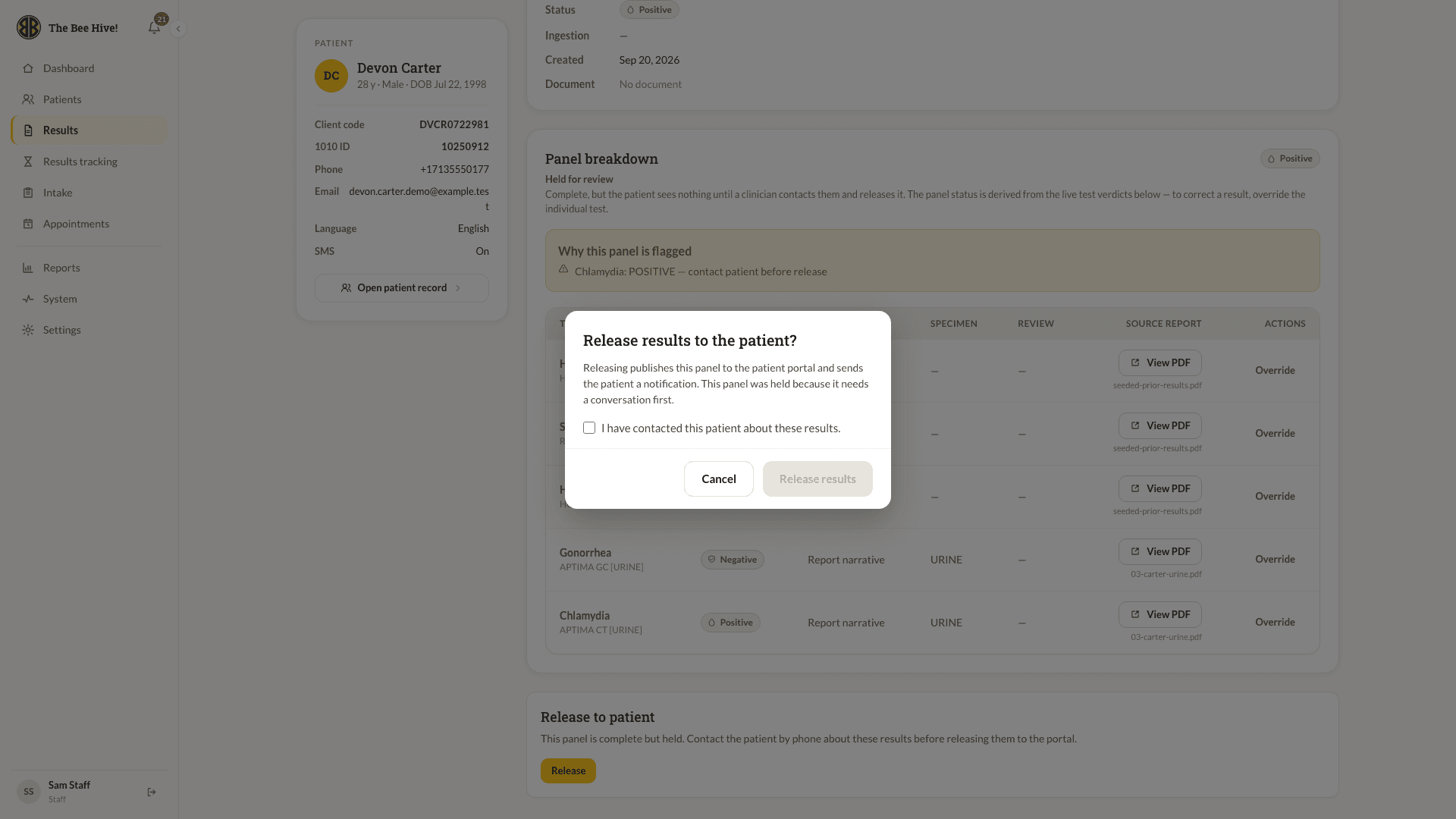
Release With Attestation

A held panel shows staff exactly which test flagged it and why, with the source report one click away. Releasing it requires a clinician to confirm they have spoken to the client first. That confirmation, and who gave it, is written to the audit log.

Releasing a held result with attestation

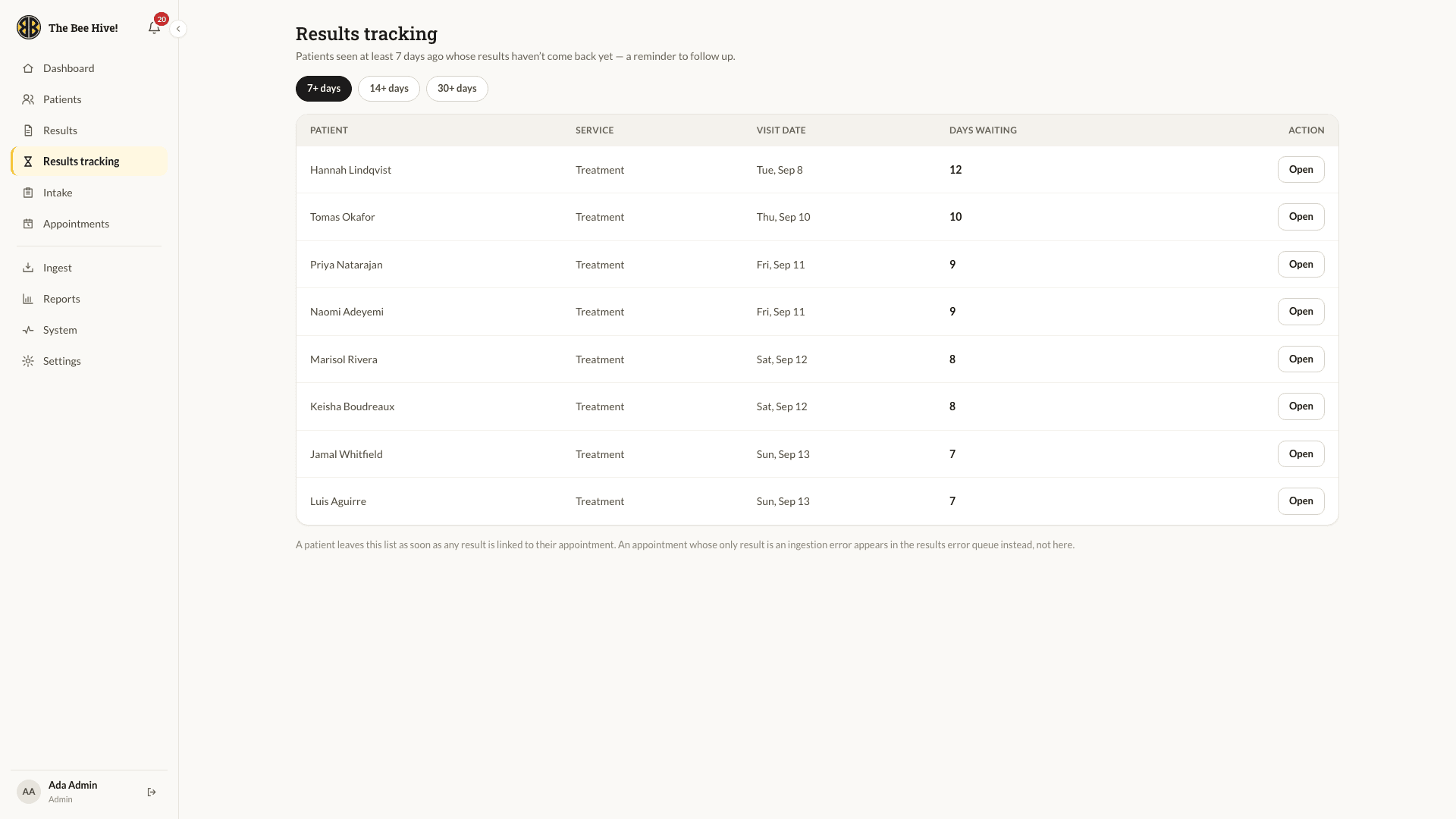
Nobody Falls Through

Anyone seen more than seven days ago whose results have not come back appears here automatically, sorted by how long they have waited. When a result lands, they drop off the list. Staff no longer keep this in a spreadsheet, and no one is forgotten.

Results tracking list of clients still waiting

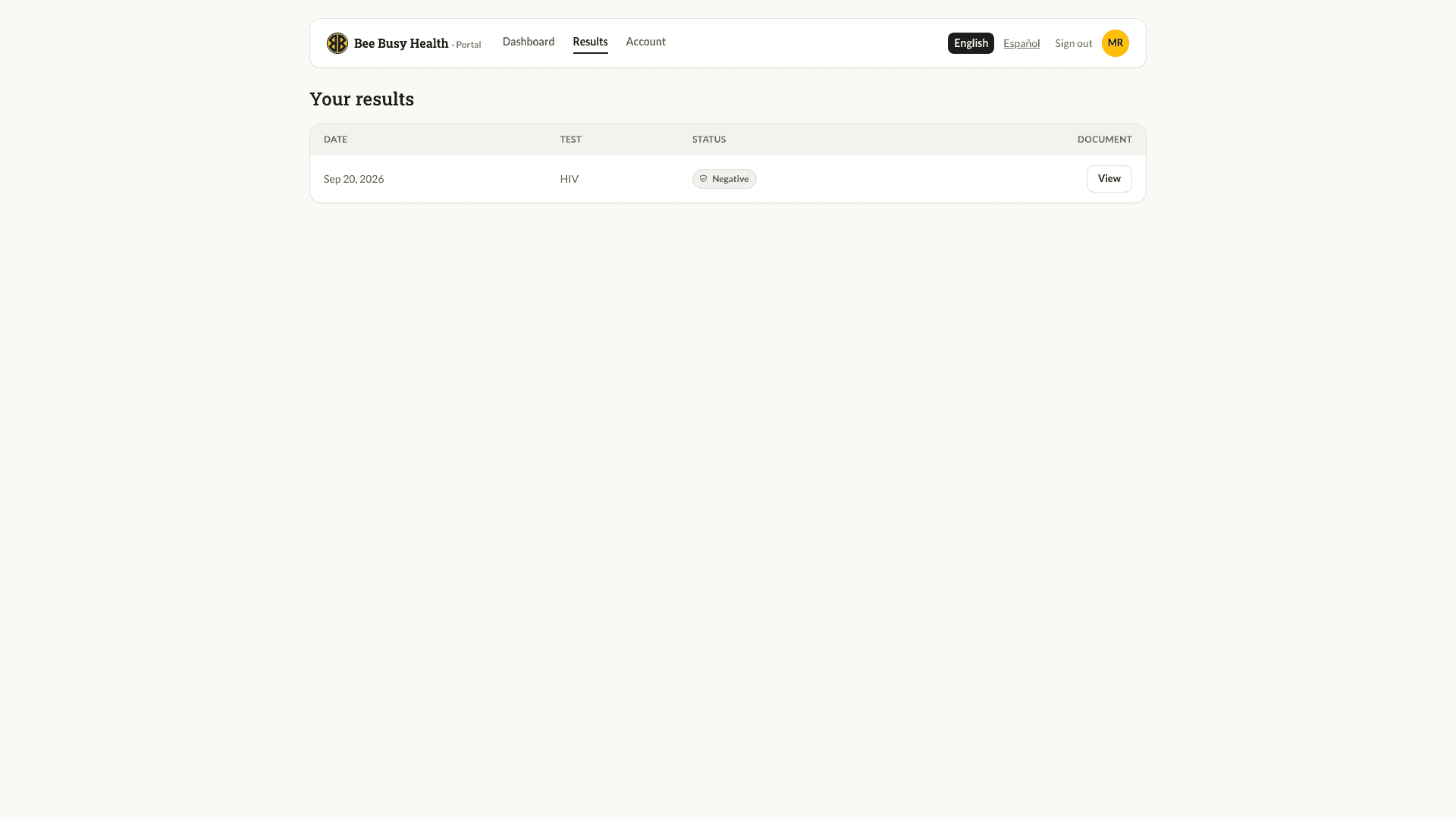
What the Client Sees

A calm, plain page: their results, a status they can understand, and a button to open the document. Nothing clinical is ever sent by email or text. The message just says results are ready and points them here.

Signed Links, Not Files

Documents sit in private storage and open through links that expire in minutes and are tied to the signed-in client. Every view is recorded, and a client can never reach another person's record by changing a URL.

Patient portal results page

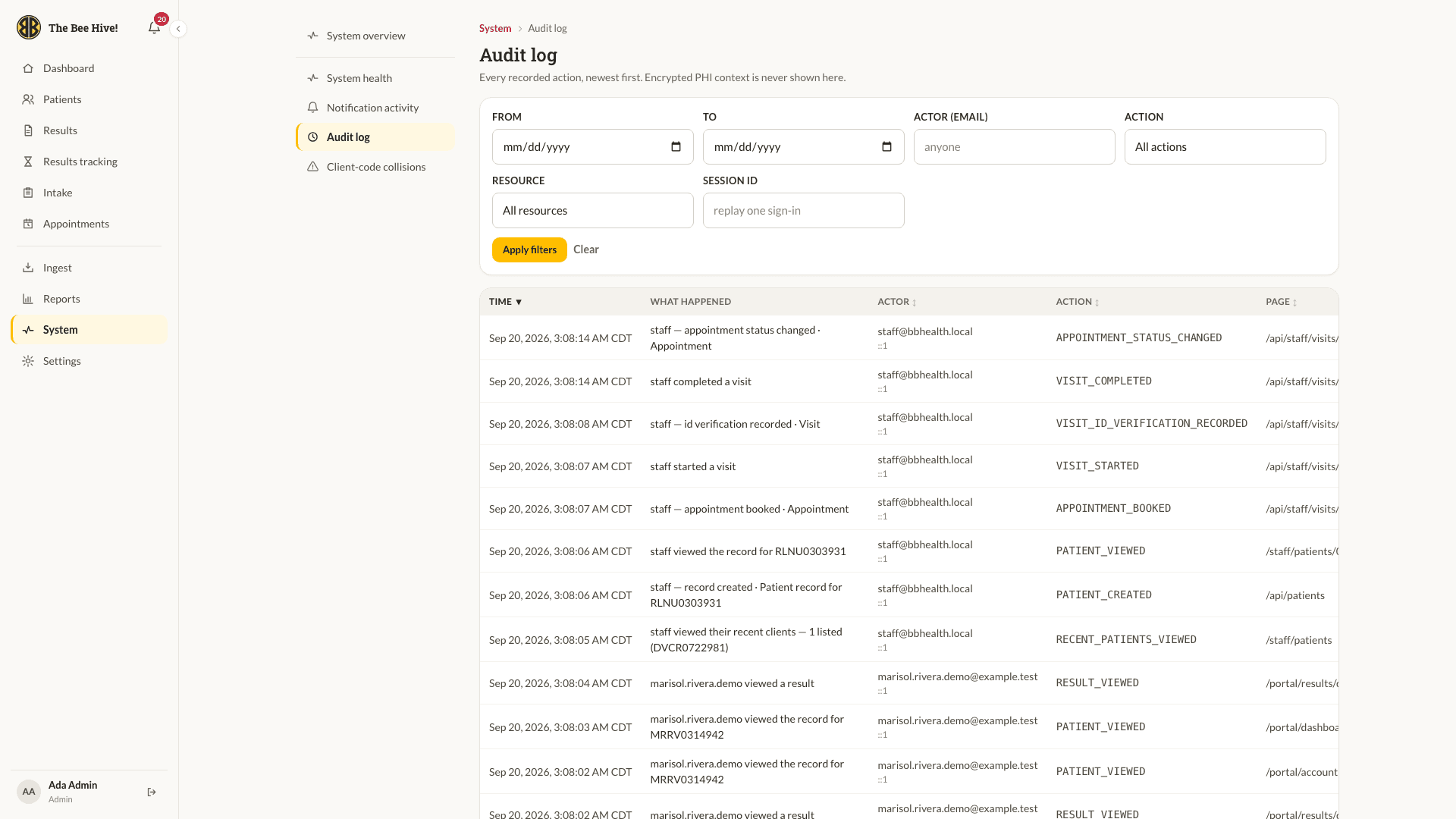
Every Action, On the Record

The audit log captures who did what, when, from where and in which session, across some forty kinds of event. It is append-only at the database level, so it cannot be edited even by an admin. Staff can filter by person, action, resource or a single sign-in to reconstruct exactly what happened.

Audit log in the admin console

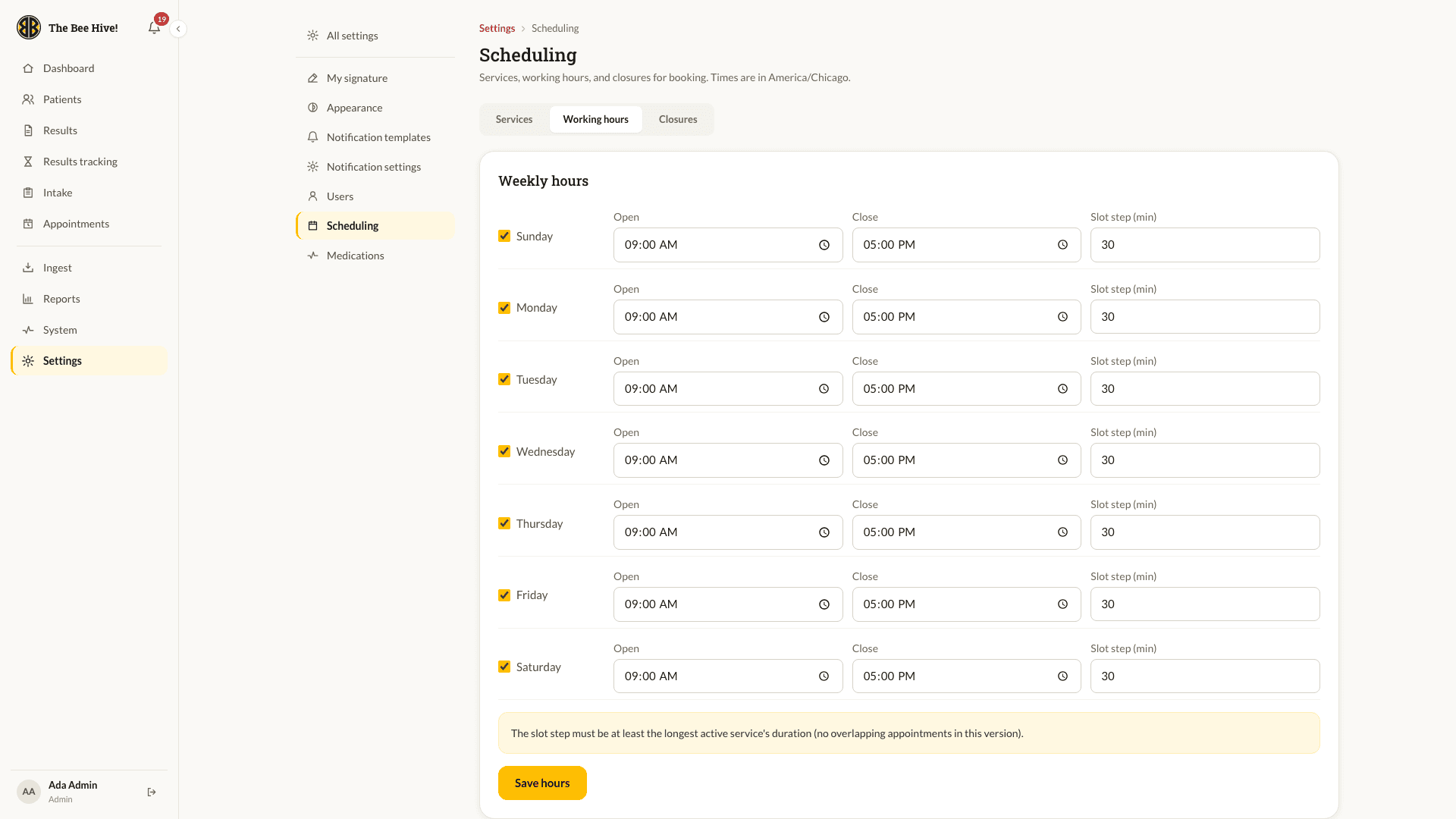
The Clinic Controls Its Calendar

Services, working hours, split shifts, closures and slot capacity are all set from the console. Change a Tuesday and the public booking page reflects it immediately. Every email and text the portal sends is editable here too, and each one is deliberately generic.

Scheduling settings, weekly working hours

Dark Mode, Same Meaning

Every screen has a dark theme that follows the device or a staff member's own preference. Result statuses keep their icons in both themes, so nothing important depends on colour alone.

Staff dashboard in dark mode

Built for the Phone in Their Hand

Most clients book from a phone, so the wizard, questionnaire and portal all work at phone size, not just shrink to it. The staff console collapses into a drawer so a counselor can check the board from the front desk or a tablet in the testing room.

Booking wizard on a phoneStaff appointment board on a phoneStaff dashboard on a phone