
Power User Tips
Free MP3 Splitter Tool – Easily Split Long Audio Files, Add Cover Art, and Customize Metadata
You know those long videos online with the most dope playlists? There's no easy way to get them into your Spotify or Apple Music collection, and the music is always one takedown away from disappearing. So I took things back to 2008: download the music I love and keep it.
The catch is that a downloaded set is one giant file. You can't skip songs, and the cover art and tags are all out of whack. So I built a tool for it. Give it one long MP3 and it hands back a zip of separate tracks, each tagged with its title, artist, album, year, genre, track number and cover art, ready to sit in your library next to everything else.
How it works
Four steps, one zip.
-
01
Upload your MP3
One long file of up to 450 MB: a mixtape, a live set, a whole album in a single file. Too big? You're told the moment you pick it, not after a long upload.
-
02
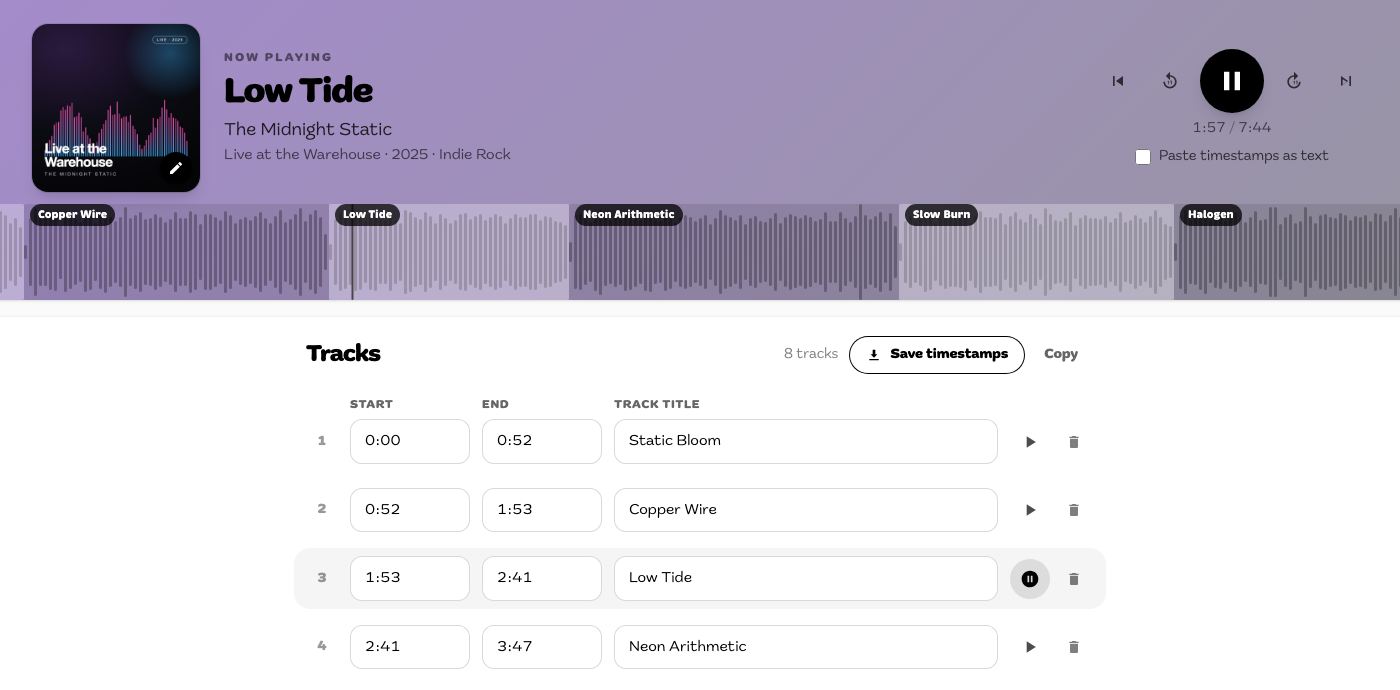
Mark your tracks
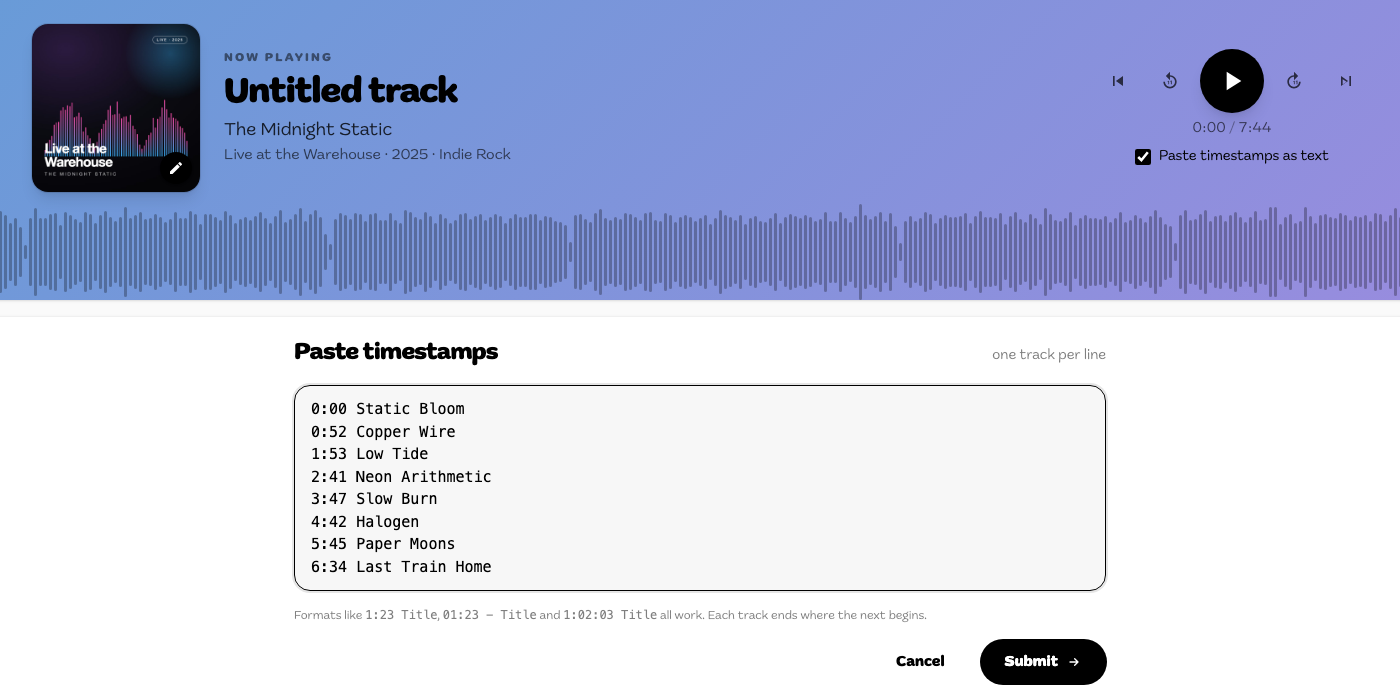
Play the file and hit "Add track" at each change, or paste a tracklist with one line per track, like
3:45 Second Song. Minutes:seconds and hours:minutes:seconds both work, so a YouTube tracklist pastes straight in. -
03
Add album info and cover art
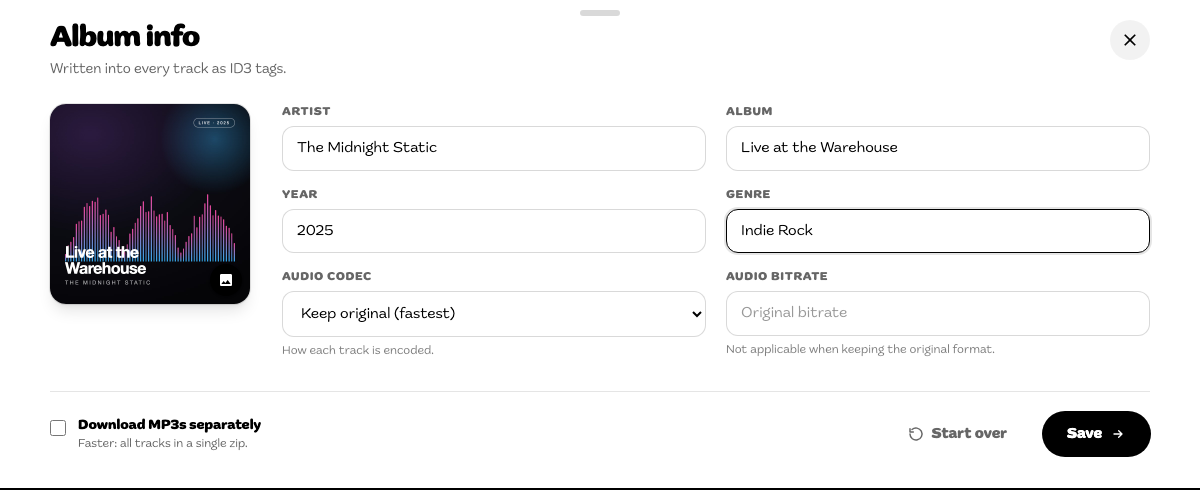
Artist, album, year and genre go on every track; each track gets its own title and number. Keep the original audio or pick a format and bitrate.
-
04
Download
Every track is cut, tagged and zipped. Grab the whole zip, or download tracks one at a time.
Why use it
Everything a tagged album needs.
Completely free
No account, no sign-up, no premium tier and no limit on the number of tracks.
No quality loss by default
"Keep original" copies the audio without re-encoding, so every track sounds exactly like your source.
Or pick your format
Re-encode to MP3, AAC (.m4a) or Opus at 128, 192, 256 or 320 kbps.
Proper tags
Title, artist, album, year, genre and track number, with cover art embedded in MP3 and AAC files.
A waveform you can read
Watch it as the song plays, with every track marked on it. Files over 60 MB skip the drawn wave but still play, seek and mark the same way.
Your progress is saved
Timestamps, album info and cover art live in your browser, so a refresh doesn't lose your work. Save the timestamps as a .txt file too.
Built for phones
Works in any modern mobile or desktop browser, including with the on-screen keyboard open.
Your file doesn't stick around
Uploaded over HTTPS, cut on our server with FFmpeg, and deleted as soon as your zip is ready.
On your phone
Split on the train.
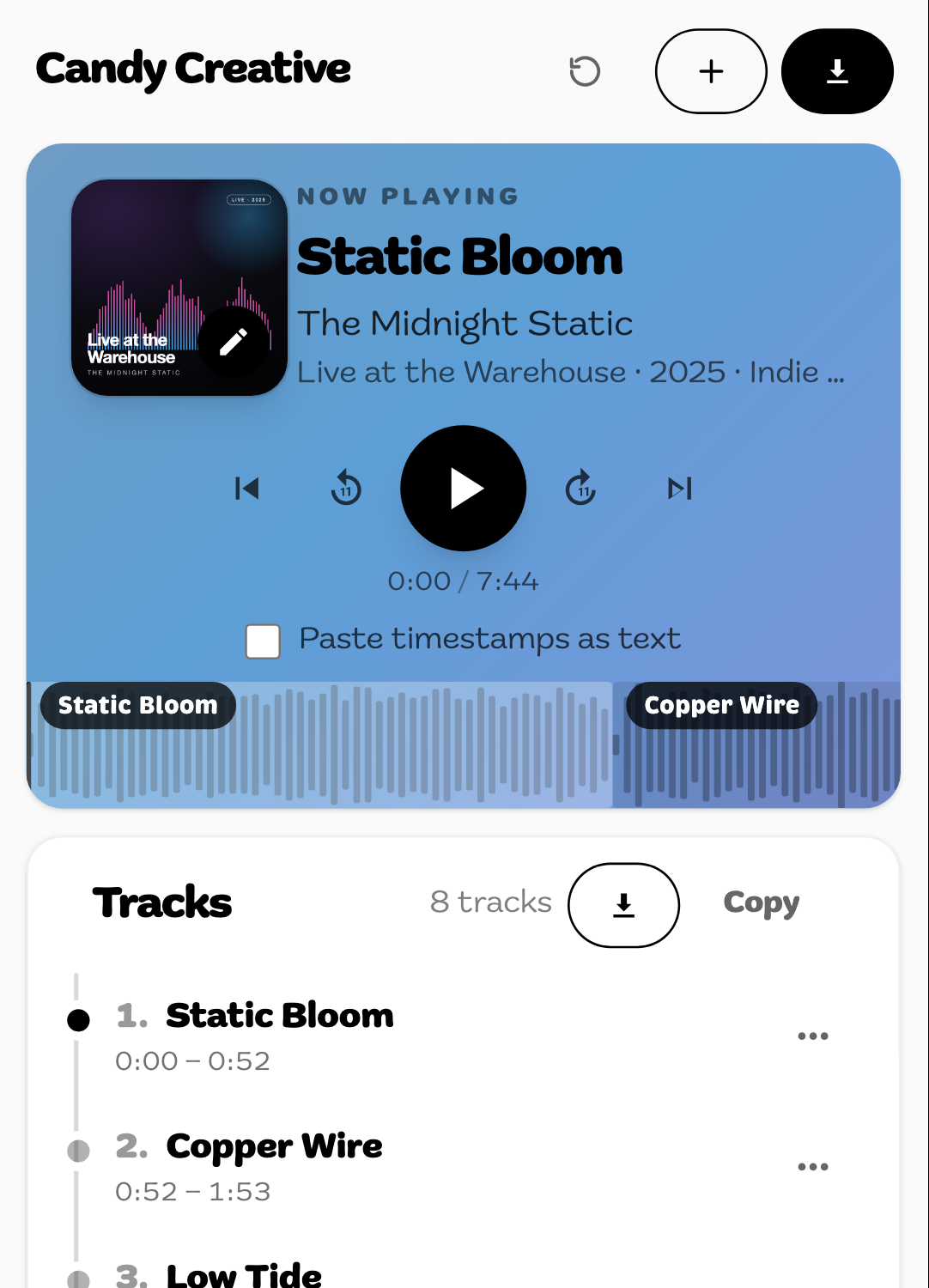
The whole tool works on a phone: pick an MP3 from your files, tap along on the waveform, name your tracks with the keyboard open, and download the zip. Nothing to install.
Who it's for
Anything that should have been tracks.
- Music collectors
- Turn an album rip, mixtape or DJ mix into a proper tracklist in your library.
- Live-set fans
- Split a full concert into individual songs.
- Podcasters
- Split an episode into chapters or clips.
- Musicians & producers
- Divide long recordings into tracks and tag them in one go.
- Content creators
- Cut long voiceovers or recordings into pieces for YouTube and social.
Changelog
What's new.
October 2026
Latest- Upload limit, up front. The upload screen states the 450 MB limit, and an oversized file is refused the moment you pick it, with its size and what to do about it.
- Big uploads finish. Large files used to fail at the very end because the bot check expired mid-upload. It's checked up front now.
- Reliable uploads on slow phone connections. Big uploads over mobile data no longer get cut off when the connection stalls, and a dropped connection keeps your track list.
- Long mixtapes no longer get stuck. A file too long to draw used to sit on "Decoding audio…" forever. It now loads straight away, and you can play, seek and mark tracks without the drawn wave.
- Downloads that actually download. Download links work in every browser instead of being blocked or opening a page.
- iPhone file picker fixed. MP3s are no longer greyed out in the iOS file sheet, and a WAV, M4A or FLAC is named and refused as soon as you pick it.
- Removing a track is safe. The track before it extends to cover the gap, so no audio silently disappears from your album.
- A proper tool page. The splitter's page loads its intro, steps and FAQ instantly, before the tool starts up.
September 2026
The big rebuild
- New design. Rebuilt alongside the rest of the Candy Creative site.
- Guided first visit. A short walkthrough plays your audio, creates your first track and shows you around. Prefer to paste a tracklist? One tap takes you to text mode.
- Cover-art colours. The player picks its colours from the cover art you upload.
- Live waveform loading. Real loading progress, then "Decoding audio…", instead of a blank spinner.
- Mobile fixes. No zooming in when you tap a field on iPhone, inputs stay above the keyboard, and the layout fits screens down to 320px.
- Smarter track list. New tracks stay in order and fill in the previous end time, and impossible cuts are caught before upload, naming the track to fix.
- Cleaner exports. Only the audio is cut, so MP3s with embedded artwork export correctly, and tags are written the right way for each format.
- No chat bubble. The live chat widget no longer sits on top of the splitter's controls.
Sep – Dec 2025
- Higher quality exports. No longer capped at 128 kbps: keep the original audio, or choose MP3, AAC or Opus at up to 320 kbps.
- More reliable processing. Exports always fall back to a sensible bitrate, and failed splits are easier for us to diagnose.
August 2025
- Saved progress. An error or a refresh no longer loses your work.
- Downloadable timestamps. Save your timestamps as a text file for later.
October 2024
- Waveform visualization. See your audio's waveform in real time while you split.
- Automatic timestamp adjustments. A new timestamp fills in the previous segment's end time.
- Better on mobile, plus a round of smaller UI tweaks.
Coming up
Drag and drop on the waveform
Move a track's start and end by dragging its region instead of editing times.
Automatic track detection
The tool will listen for breaks in the audio and suggest splits for you.
Support me
No ads. No revenue. Just a passion project.
Hey there! I'm Tyler Clay, owner and founder of Candy Creative Digital. I built this tool to help people enjoy their music library, and it's completely free to use.
My ulterior motive is to gain your web traffic and convince you to work with my agency. There just isn't enough money in this tool for me to buy the raris and rovers of my dreams (no skrrrt for me) :<( I'm eating though, and I'm thankful for that. Nevertheless, your donations are greatly appreciated.
Your support covers development costs (I be getting mad hungry and needing takeout after all this coding) and that one guy who downloads 30 Future Vandross mixtapes each week. I gotta admit they are ???, but I didn't know bro even had that many songs. How do you not have a ton of duplicates? Are you a DJ or something? Either way u get aux if we ever ride together.
You are allowed to just freeload. Don't be processing a bunch of mid music tho frfr ?
Please only split files you have permission to use. We hold no responsibility for how you use this tool, but we hope you get some based music :)
Need something built like this?
Book a free consultationFrom the journal
More insights
- An MP3Cut Alternative for Splitting One File into Many TracksMP3Cut is built for trimming one clip, such as a ringtone. To cut a whole recording into many tracks at once, with titles, album tags and cover art, a track splitter does it in one pass.
- An Online Alternative to mp3splt: Split Audio Without Installingmp3splt is a strong free tool if you can install it, especially for batches and offline work. When you can't, the online splitter covers its time, silence, equal-part and CUE modes, with tags, cover art and per-track downloads.
- Audacity Label Import vs a Faster Way to Split TracksAudacity is a free, offline editor that splits by labels, but a tracklist has to become tab-separated seconds first. For a straight split, the online splitter reads MM:SS tracklists as pasted and tags every track with cover art in one pass.